Changelog

Welcome to our changelog page. This is where we keep you up-to-date with all the latest bug squashes, improvements and new features to Redreach ๐Ÿ’ช

  1. Redreach Goes Mobile: Fully Optimized for Your Phone

    Improvement

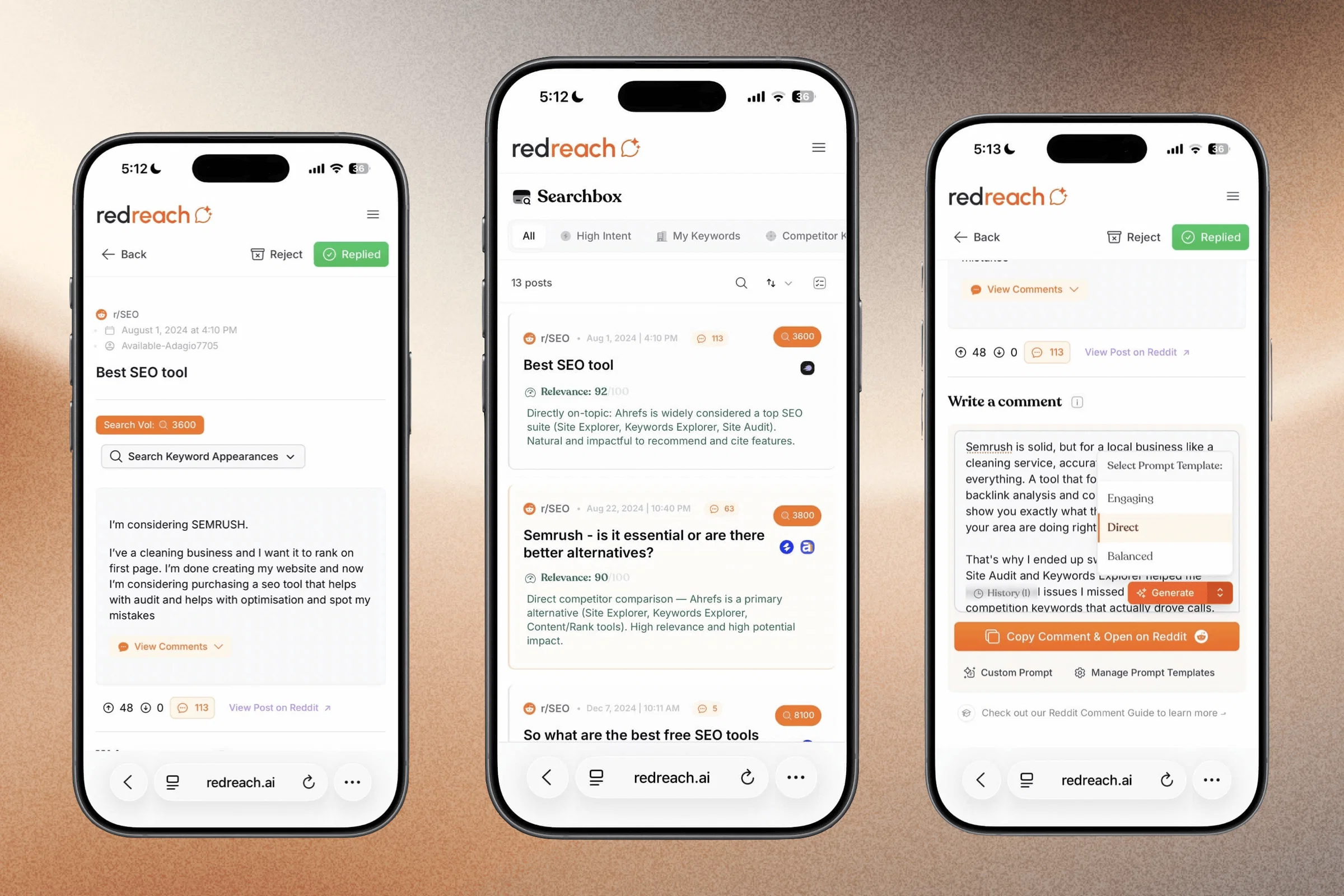
    Redreach now works beautifully on mobile. We've rebuilt the entire interface to be fully responsive, so you can browse opportunities, check mentions, and manage your Reddit marketing on the go.

    Here are the details:

    ๐Ÿ“ฑ A Real App Feel

    This isn't a shrunken desktop view. We reworked navigation, layouts, and interactions to feel native on smaller screens. Swipe through your opportunity inbox, review mentions, and take action, all from your phone.

    redreach-searchbox-mobile

    ๐Ÿ” Browse Everything, Anywhere

    All core features are fully accessible on mobile:

    โœ… New Opportunities inbox

    โœ… Mentions feed

    โœ… Searchbox

    โœ… AI reply suggestions

    โœ… Project settings and notifications

    redreach-mobile-2

    No app install required. Just open Redreach in your mobile browser and everything is ready.

    As always, we'd love to hear your feedback. Happy Reddit marketing! ๐ŸŽ‰

  2. Multi-Channel Notifications: Telegram, Slack & Webhooks

    New Feature ๐Ÿš€

    You asked for more ways to stay in the loop. We delivered three.

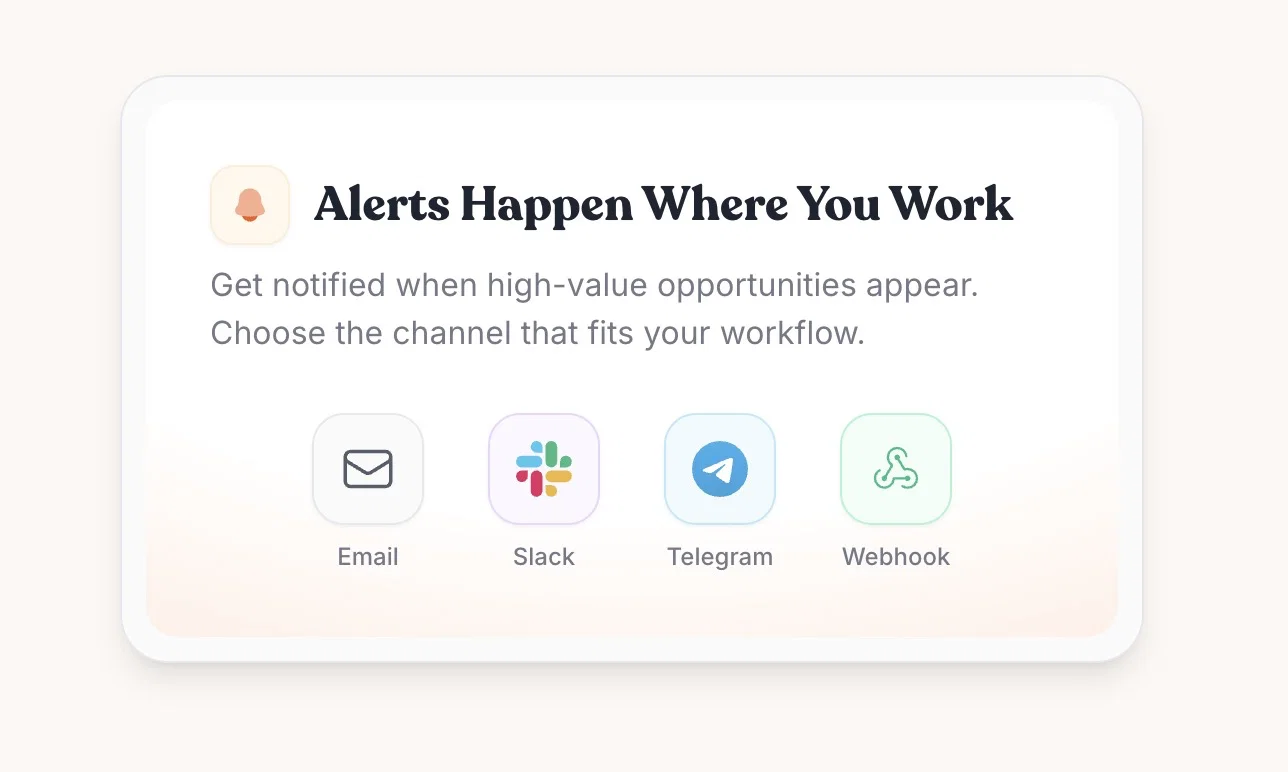
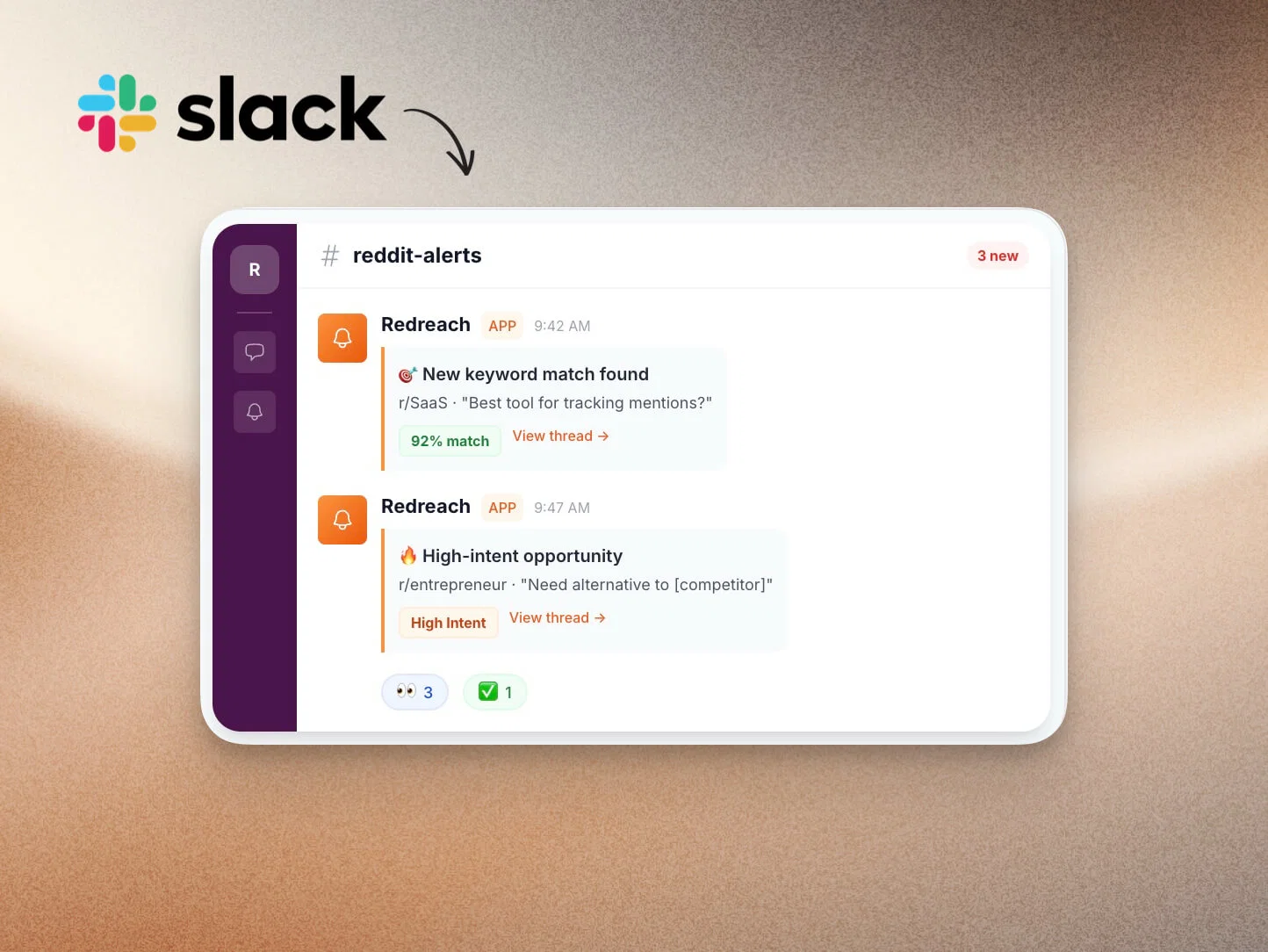
    alerts-where-you-work

    Redreach notifications are no longer email-only. You can now receive your Reddit opportunity and mention alerts via Telegram, Slack, and custom Webhooks, all configurable from your project settings.

    Pick one channel or use them all. Your workflow, your rules.

    ๐Ÿ’ฌ Slack Notifications

    For teams that live in Slack, this one's for you. Connect your workspace with a single click via OAuth, pick a channel, and Redreach will post opportunities and mentions right where your team already collaborates. Perfect for growth teams who want to react to Reddit conversations together, without forwarding emails back and forth.

    redreach-slack-notifications

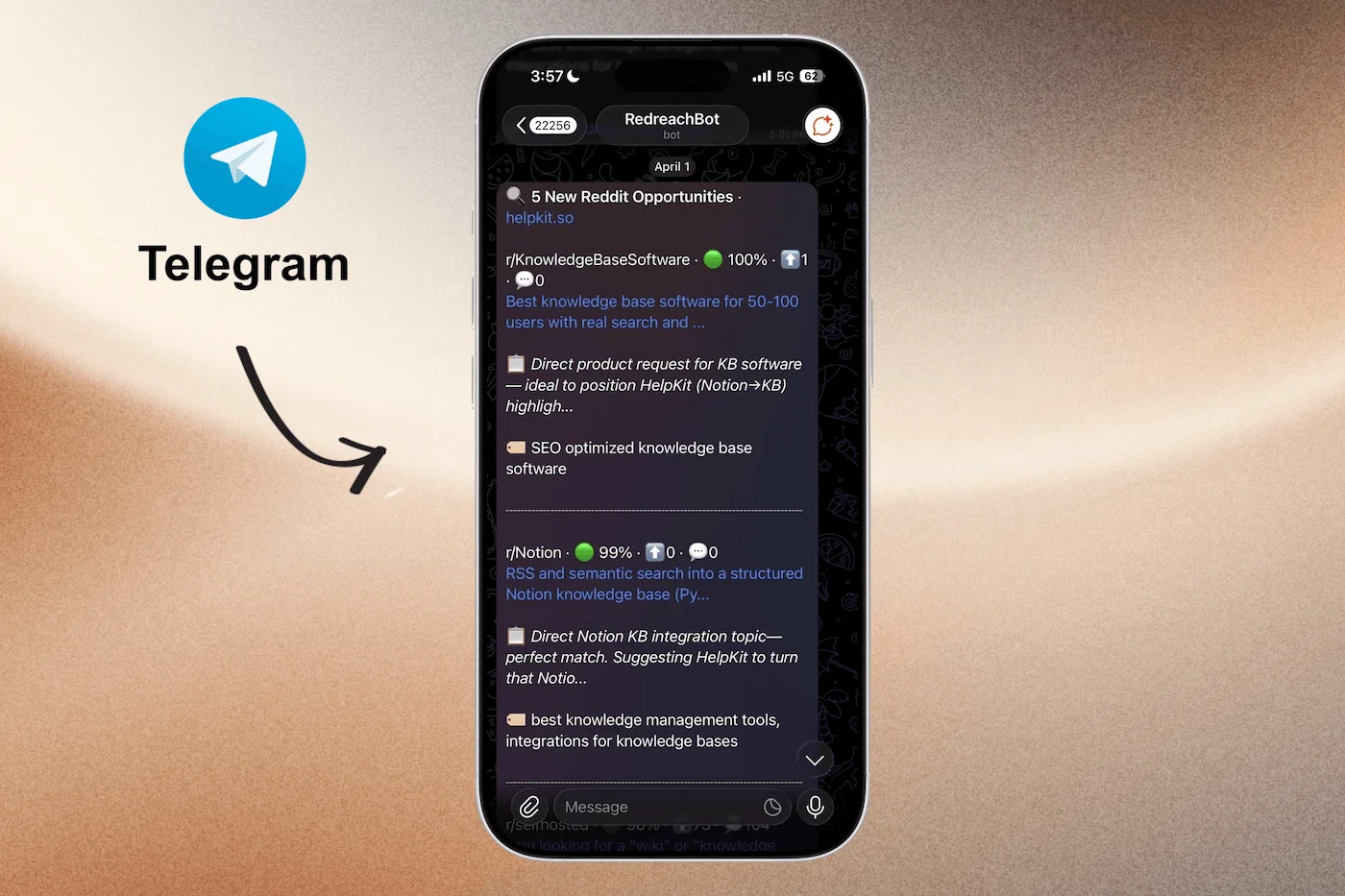
    ๐Ÿ“ฌ Telegram Notifications

    Connect your Telegram account in under 30 seconds. Scan the QR code or tap the link, and you're done. Every new opportunity and mention lands directly in your Telegram chat, formatted and ready to act on. Why Telegram? It's fast, lightweight, and most founders already have it open all day. No more checking email when a hot Reddit thread is blowing up.

    redreach-tg-notification

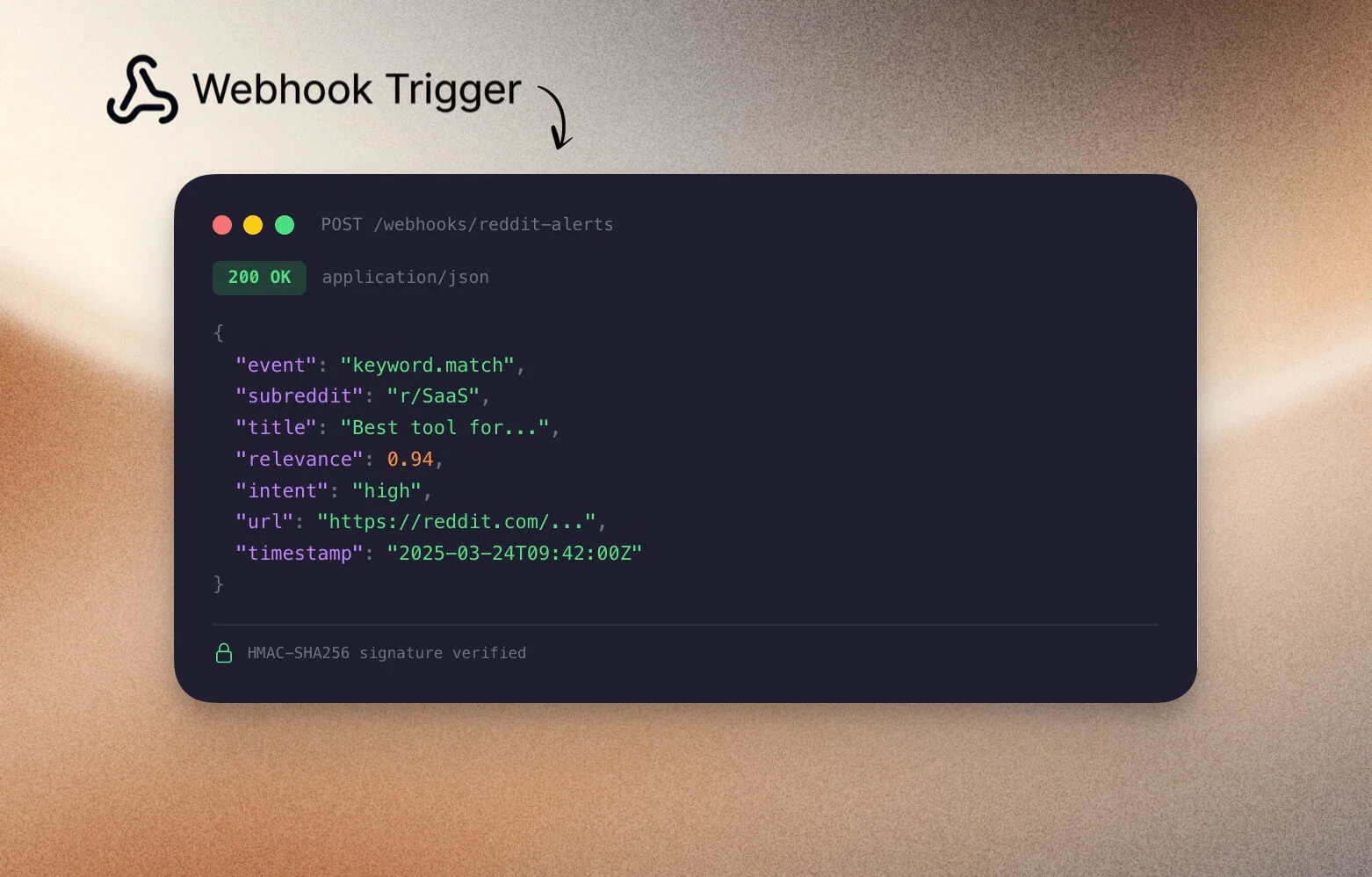
    ๐Ÿ”— Webhook Notifications

    Need something custom? Webhooks let you send signed JSON payloads to any URL. Pipe your Redreach alerts into Zapier, Make, your own internal tools, or anything that accepts HTTP. Every webhook request is signed with your secret key, so you can verify authenticity on your end.

    webhook-redreach

    ๐ŸŽ›๏ธ Mix and Match

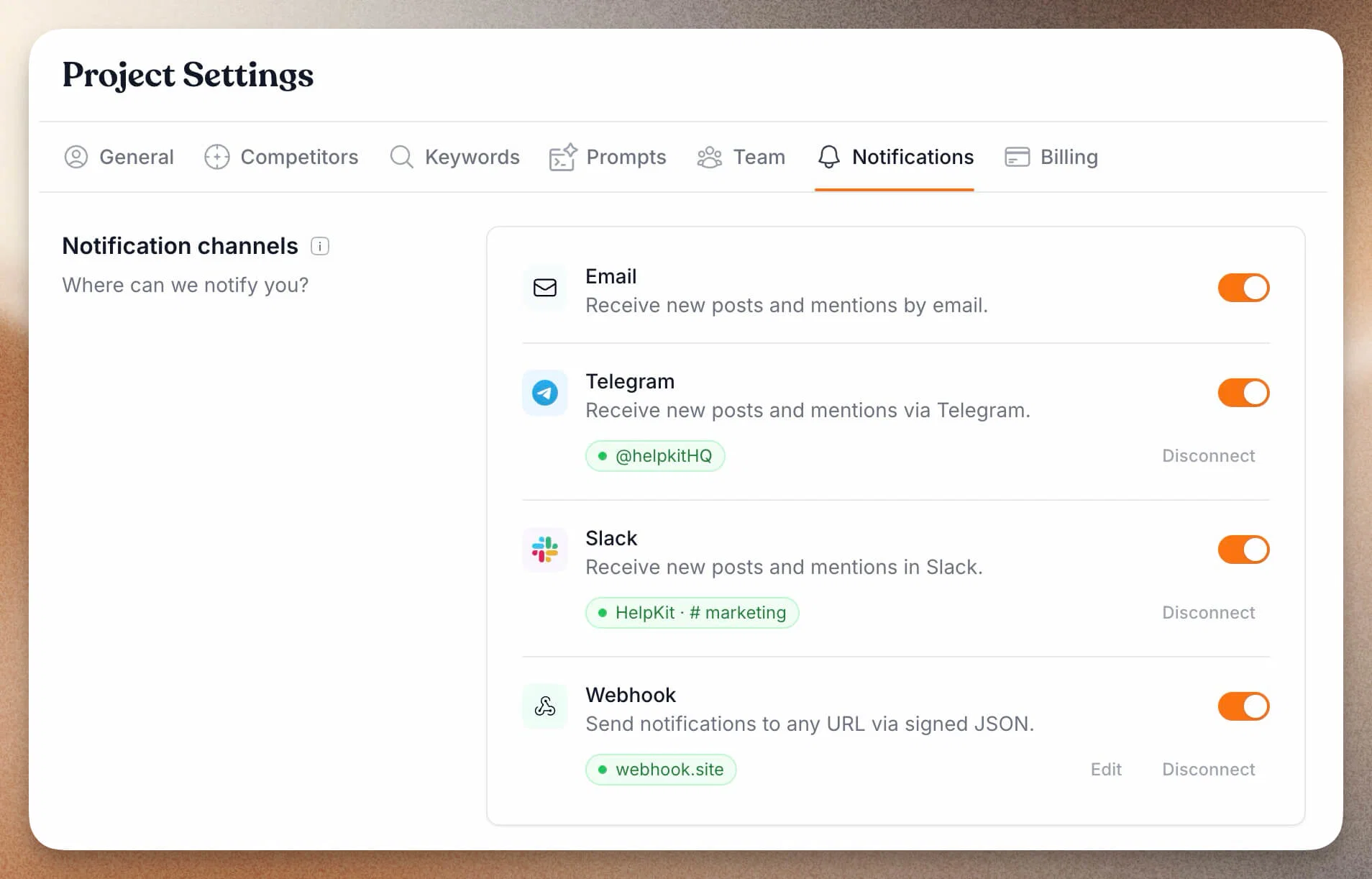
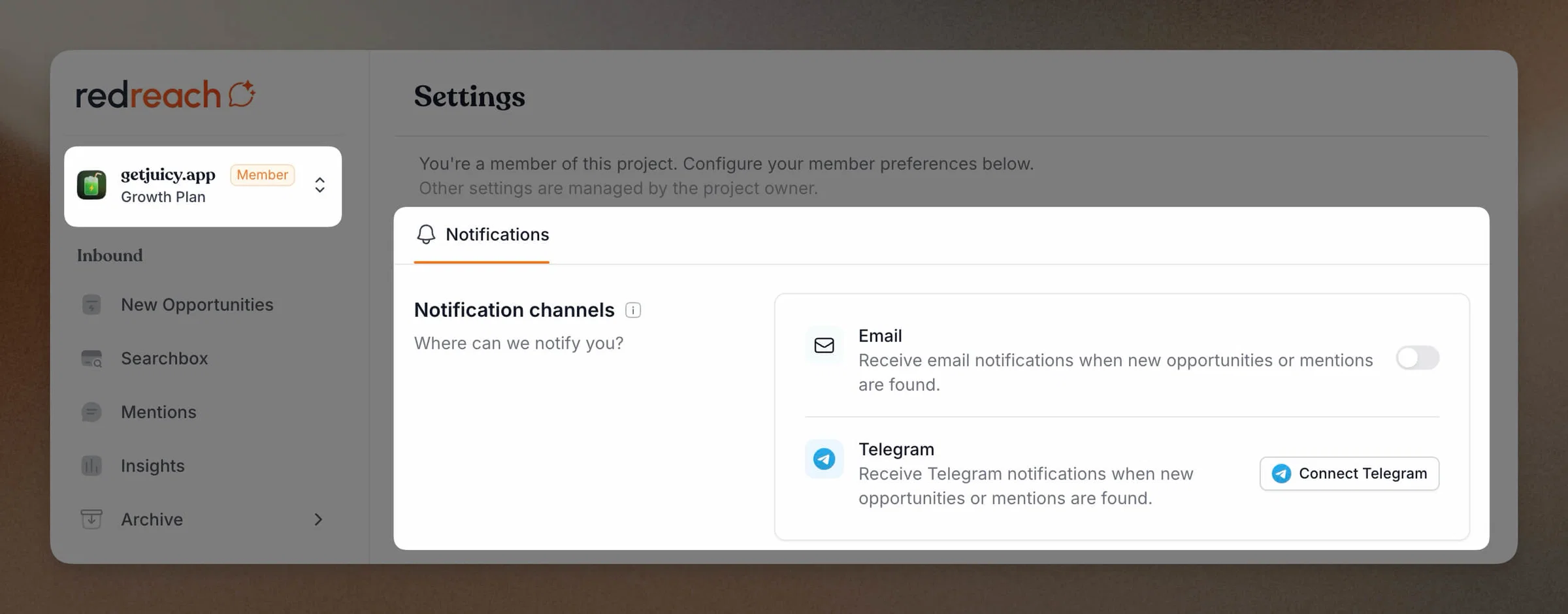
    All channels work independently. Enable email + Telegram for yourself, Slack for your team, and a webhook for your CRM. Each channel shows up to 10 opportunities or mentions per notification, with a clear prompt to visit your dashboard for the full list.

    redreach_notifications_all_set

    Head to Settings > Notifications to connect your channels. As always, we'd love to hear your feedback.

  3. Team Management: Invite Your Team & Work Together

    New Feature ๐Ÿš€

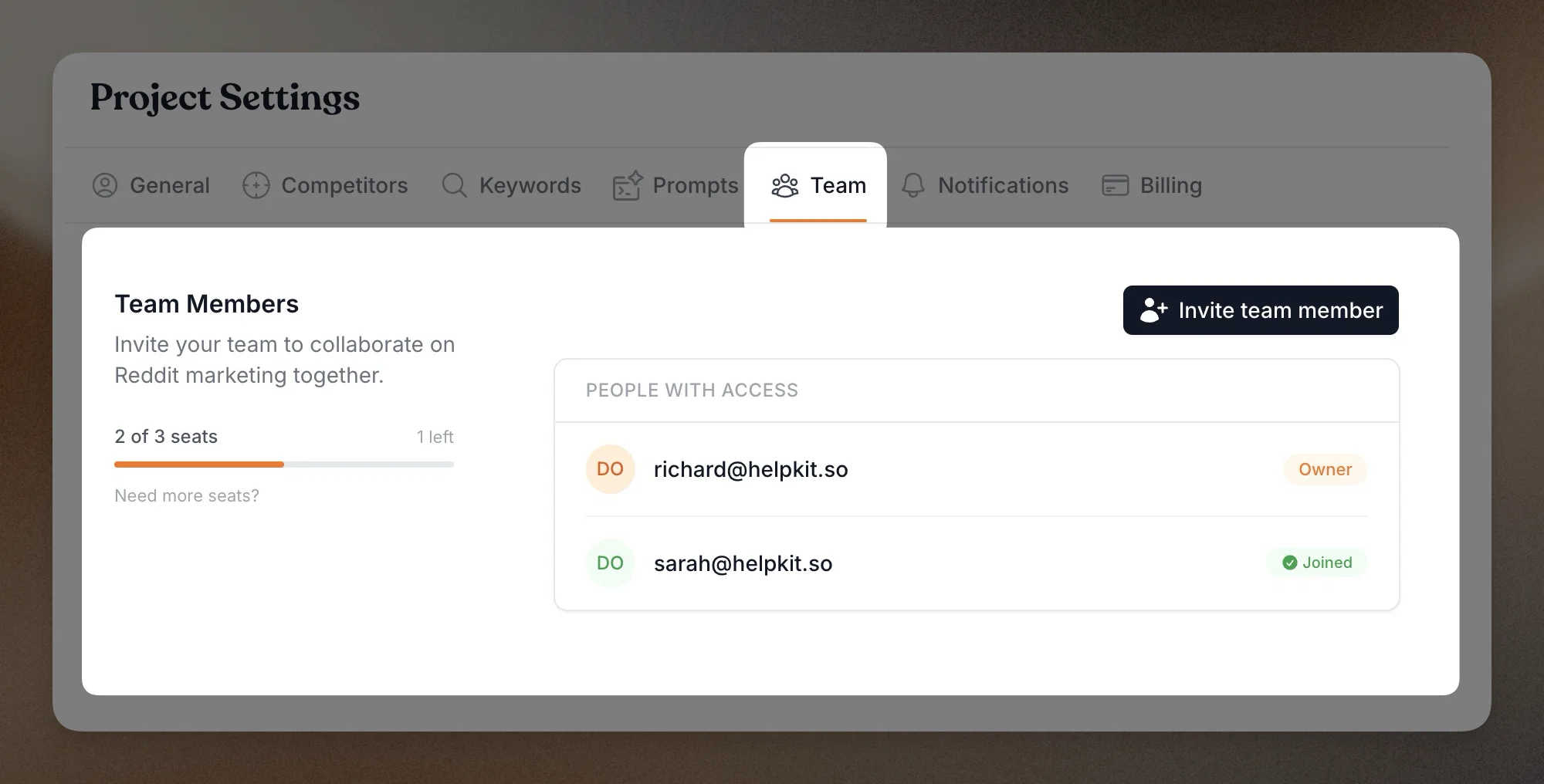
    Redreach now supports full team management, so everyone on your team can get their own seat, their own notification preferences, and their own dashboard view.

    Here are the details:

    ๐Ÿ‘ฅ Invite and Manage Team Members

    From your project settings, invite teammates by email. They'll get an invite link, create their own account (or log in with an existing one), and land directly inside your project. No credential sharing, no "who changed that setting?" confusion.

    redreach_team_invite

    ๐Ÿ”” Individual Notification Preferences

    Each team member controls their own notification channels. One person might want Telegram alerts, another prefers email only. Everyone stays informed on their own terms without cluttering anyone else's inbox.

    redreach_member_and_notif

    ๐Ÿ”’ Owner Controls

    As the project owner, you keep full control. View all members, manage access, and remove anyone who no longer needs it. Your project settings, billing, and keywords remain under your account.

    ๐Ÿ’บ Need More Seats?

    Every plan includes a set number of team seats. If your team is growing beyond what your current plan offers, just reach out to us and we'll work something out. We're happy to accommodate larger teams.

    Head to Settings > Team to start inviting. As always, we'd love to hear your feedback. Happy Reddit marketing! ๐ŸŽ‰

  4. Major Workflow Upgrade: Full Keyboard Control + Better Post Filters

    New Feature ๐Ÿš€

    Redreach now moves at your pace. We just added four powerful additions: (1) Complete keyboard shortcut system with CMD+K command launcher, (2) Search & filters across all features, (3) Enhanced mention detection, and (4) Bulk mark as replied. Navigate easier. Manage faster.

    Here are the details:

    โšก Keyboard Shortcuts & Command Launcher (โŒจ๏ธ + ๐Ÿš€)

    We believe growth marketing tools should accelerate your workflow, not slow it down. Inspired by power-user favorites like Superhuman and Raycast, we've made Redreach fully keyboard-navigable.

    ๐Ÿ”ง Complete Keyboard Control

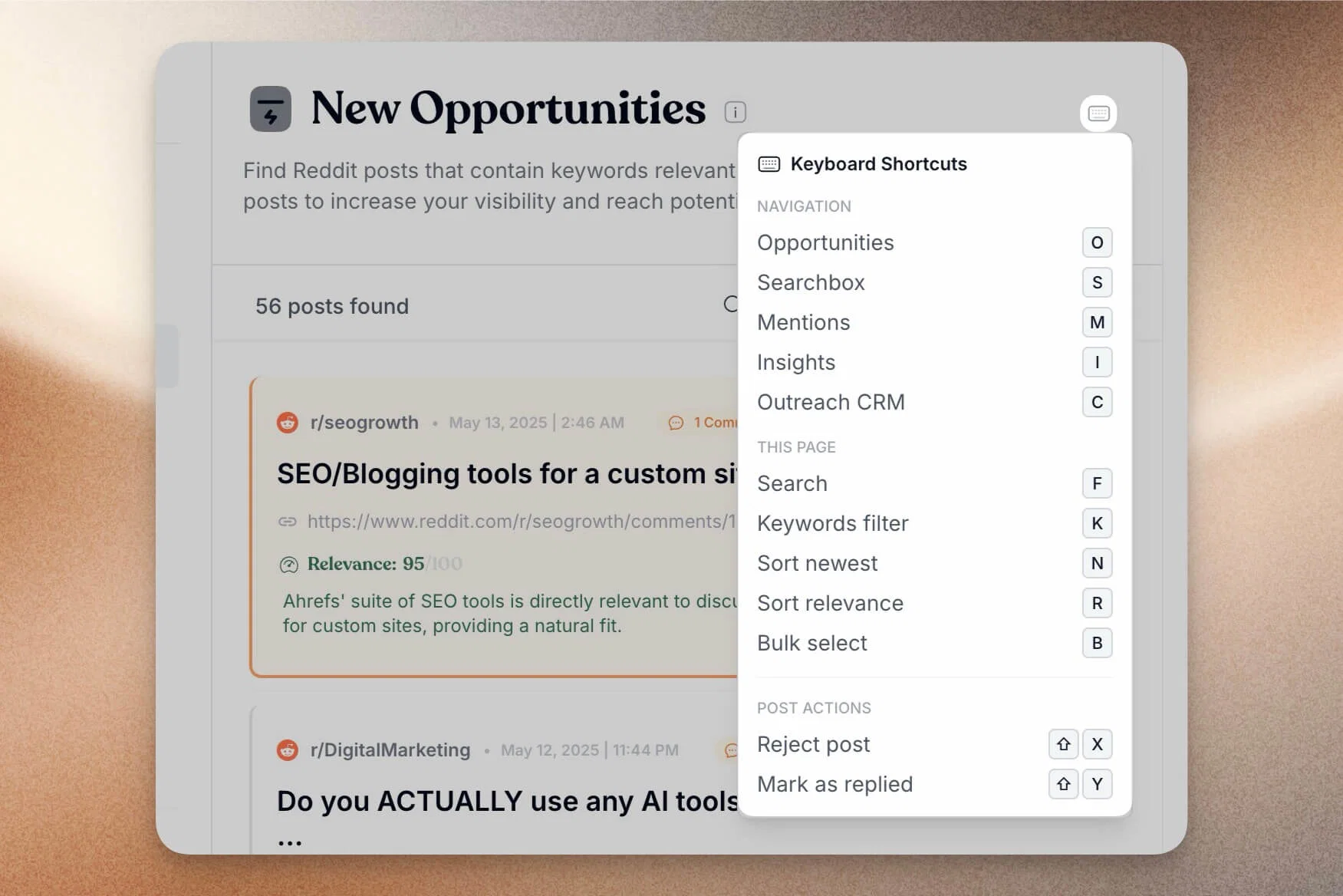
    Shortcuts span across everything you see in the UI:

    • Navigate between feature pages (New Opportunities, Mentions, Searchbox)
    • Search, filter, and sort without touching your mouse
    • Bulk select posts
    • Access any action instantly

    redreach-keyboard-shortcut-cheatsheet

    ๐Ÿ“‹ Find Your Shortcuts: Click the keyboard icon in the top right of any feature page to view the complete cheat sheet.

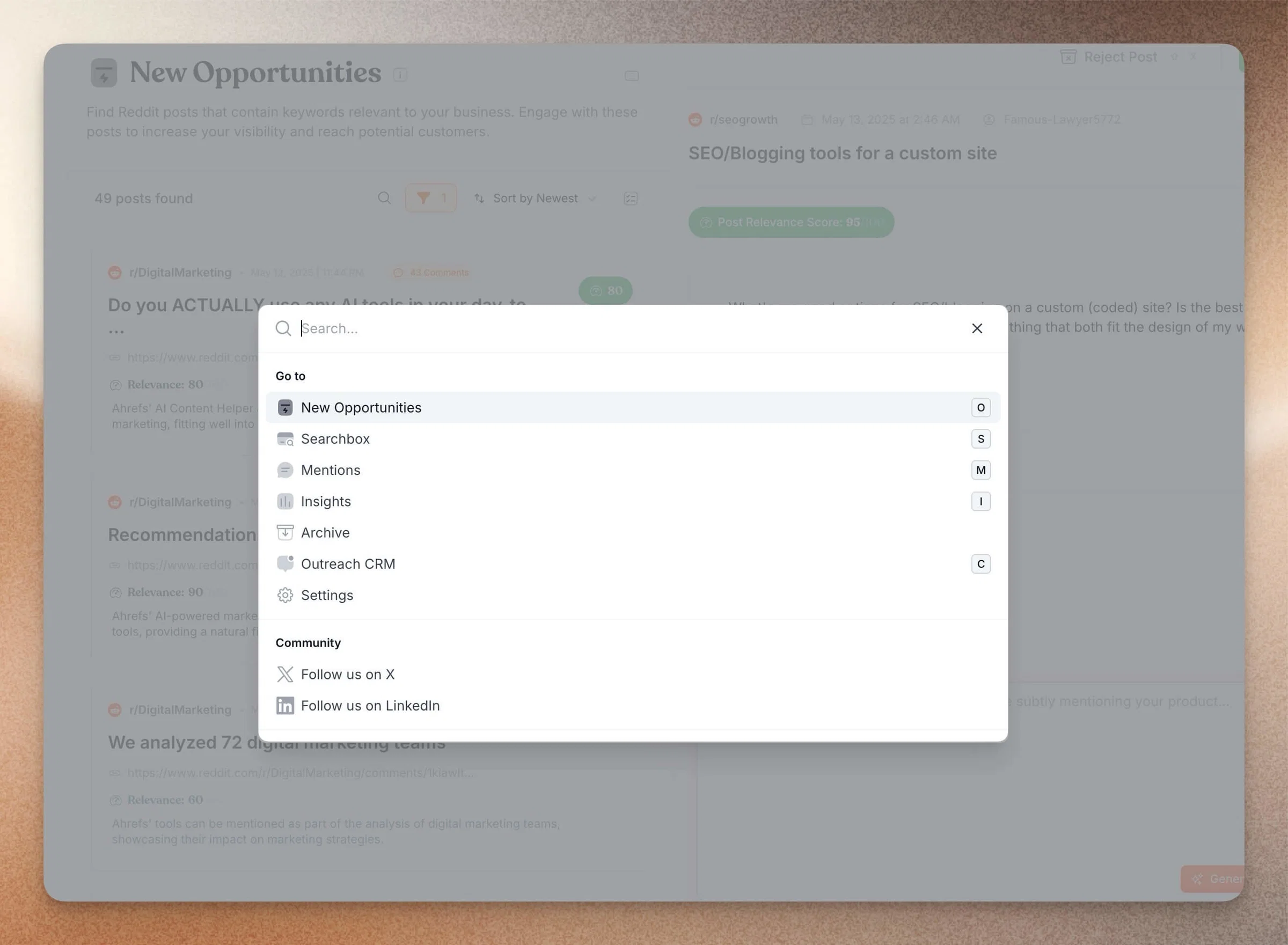
    ๐ŸŽฏ Command Launcher (CMD+K)

    Open the command palette from anywhere and instantly jump to any feature, action, or page โ€“ no more clicking through menus.

    redreach-command-bar-new

    โšก Keyboard-based Post Management

    Use keyboard shortcuts to reply or reject posts with auto-advance to the next one. Get that satisfying "inbox zero" feeling as you blaze through your Reddit opportunities at superhuman (I mean the software not Bryan Johnson) speed.

    ๐Ÿ” Enhanced Discoverability: Search & Filters

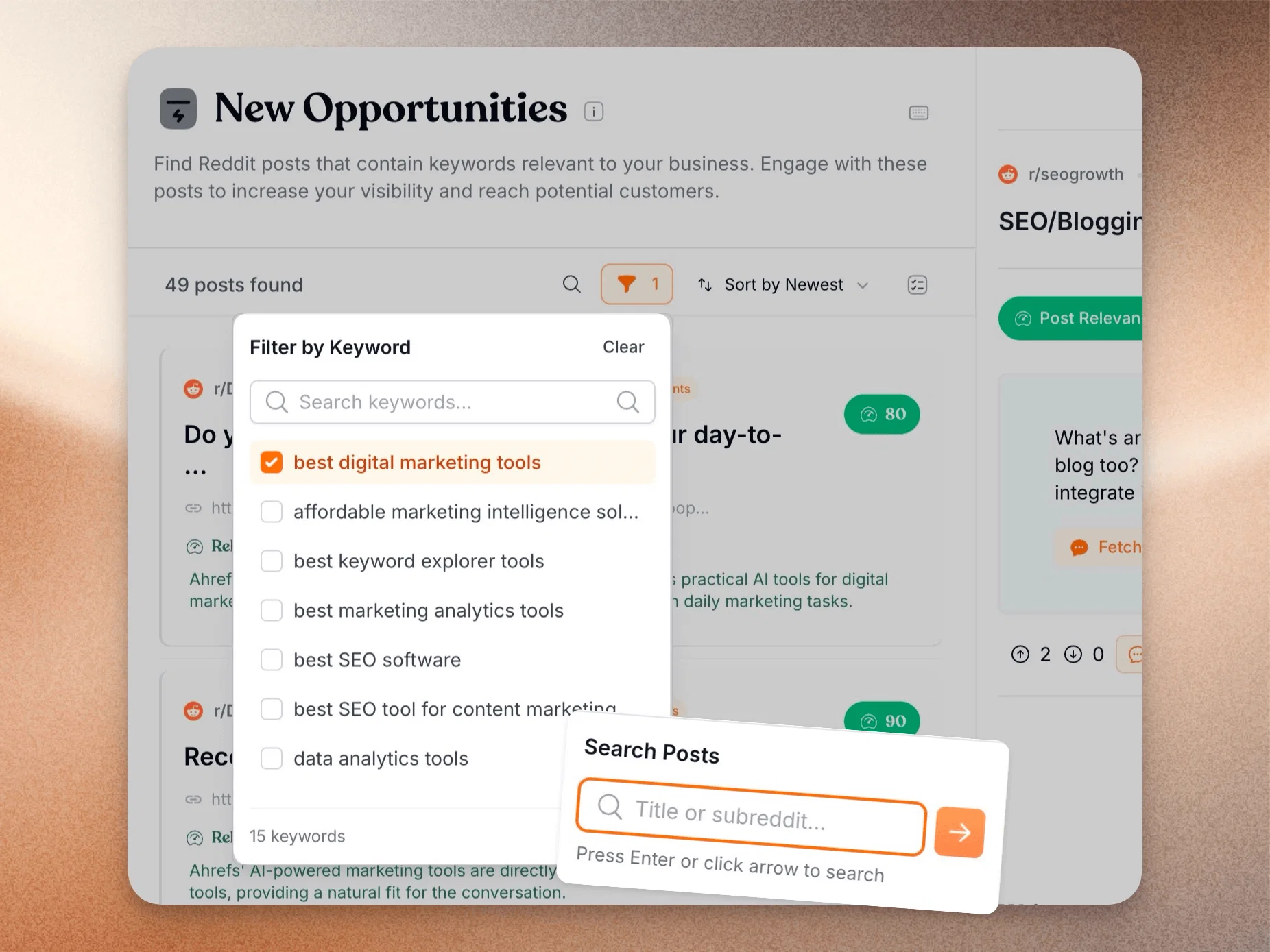
    Finding the perfect post just got exponentially easier. Perhaps you have seen a post in your Redreach email notifications and want to quickly find it in your dashboard or perhaps you want to see which keywords give you the best opportunities (and also which need some adjustment).

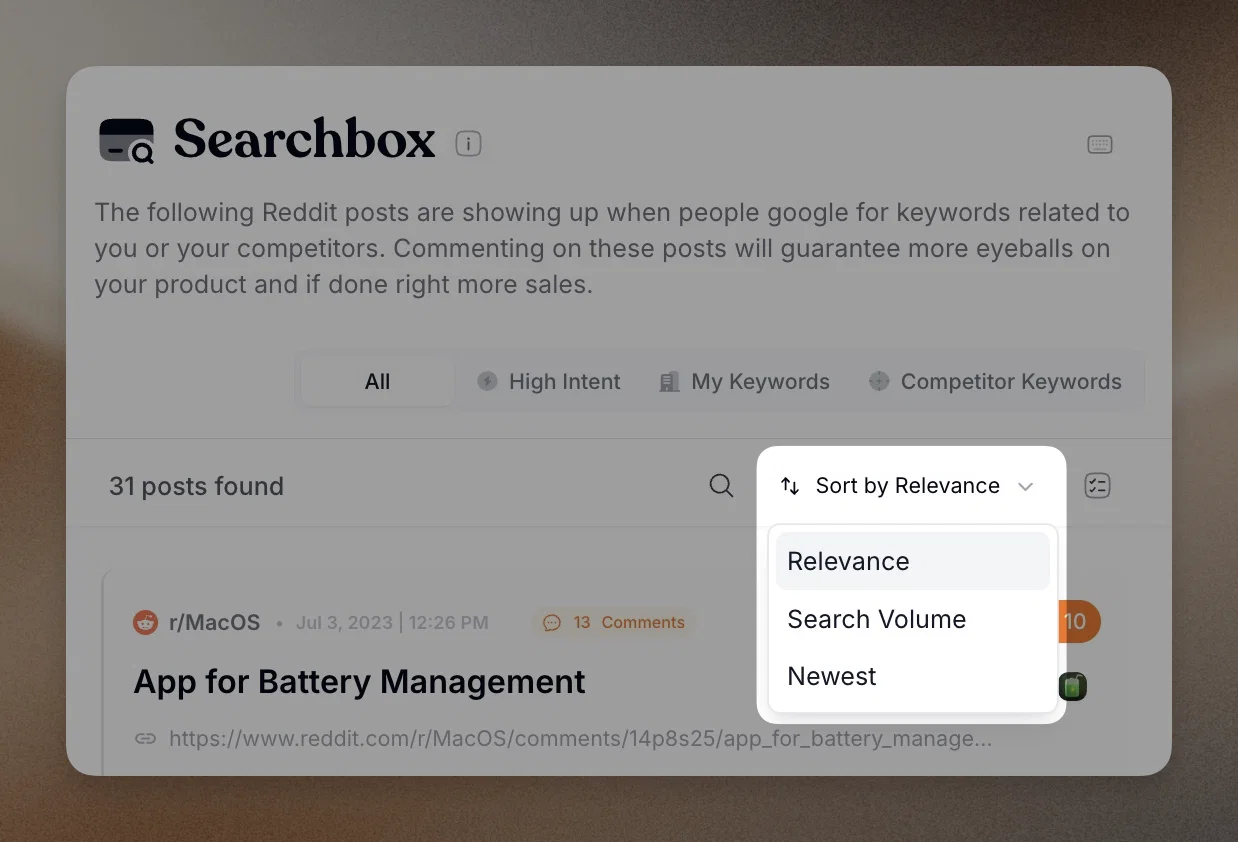
    We've upgraded from basic sorting to a full-fledged search and filter system.

    redreach-feature-filter-and-search

    What's New:

    • ๐Ÿ”Ž Search by Post Title: Instantly find posts containing specific keywords
    • ๐Ÿท๏ธ Keyword Filtering: Narrow down results by specific terms
    • ๐Ÿ“Š Multi-Criteria Filtering: Combine filters to pinpoint exactly what you're looking for

    Available Across All Features:

    • โœ… New Opportunities
    • โœ… Searchbox
    • โœ… Mentions

    Previously, you could only sort by relevancy or date. Now you have surgical precision to discover the most relevant conversations for your brand.

    ๐Ÿ› ๏ธ Additional Improvements

    ๐ŸŽฏ Smarter Mention Detection

    We've upgraded our brand mention algorithm with improved accuracy. (We'll spare you the technical details, but trust us โ€“ it's better.)

    โœ… Bulk Mark as Replied

    You could already bulk reject posts. Now you can also bulk mark posts as replied for even faster queue management.

    As always, we'd love to hear your feedback. Happy Reddit marketing! ๐ŸŽ‰

    13

  5. Introducing Redreach Outbound - Automate Your Reddit DMs at Scale

    New Feature ๐Ÿš€

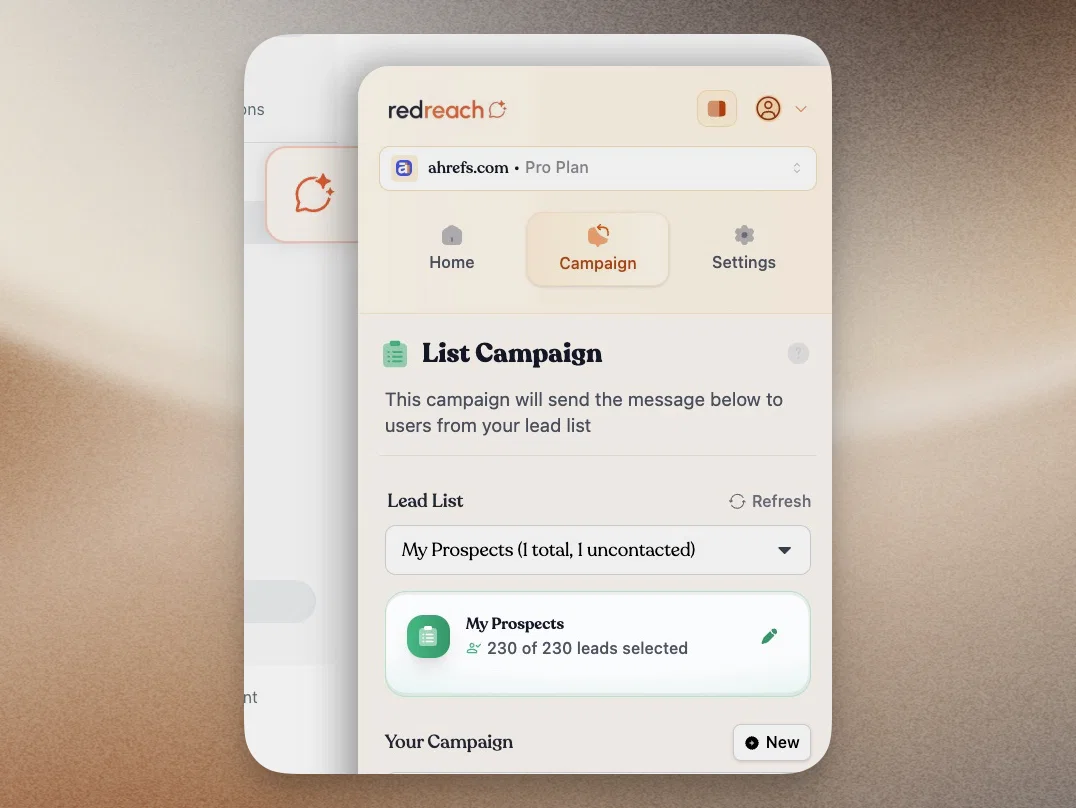
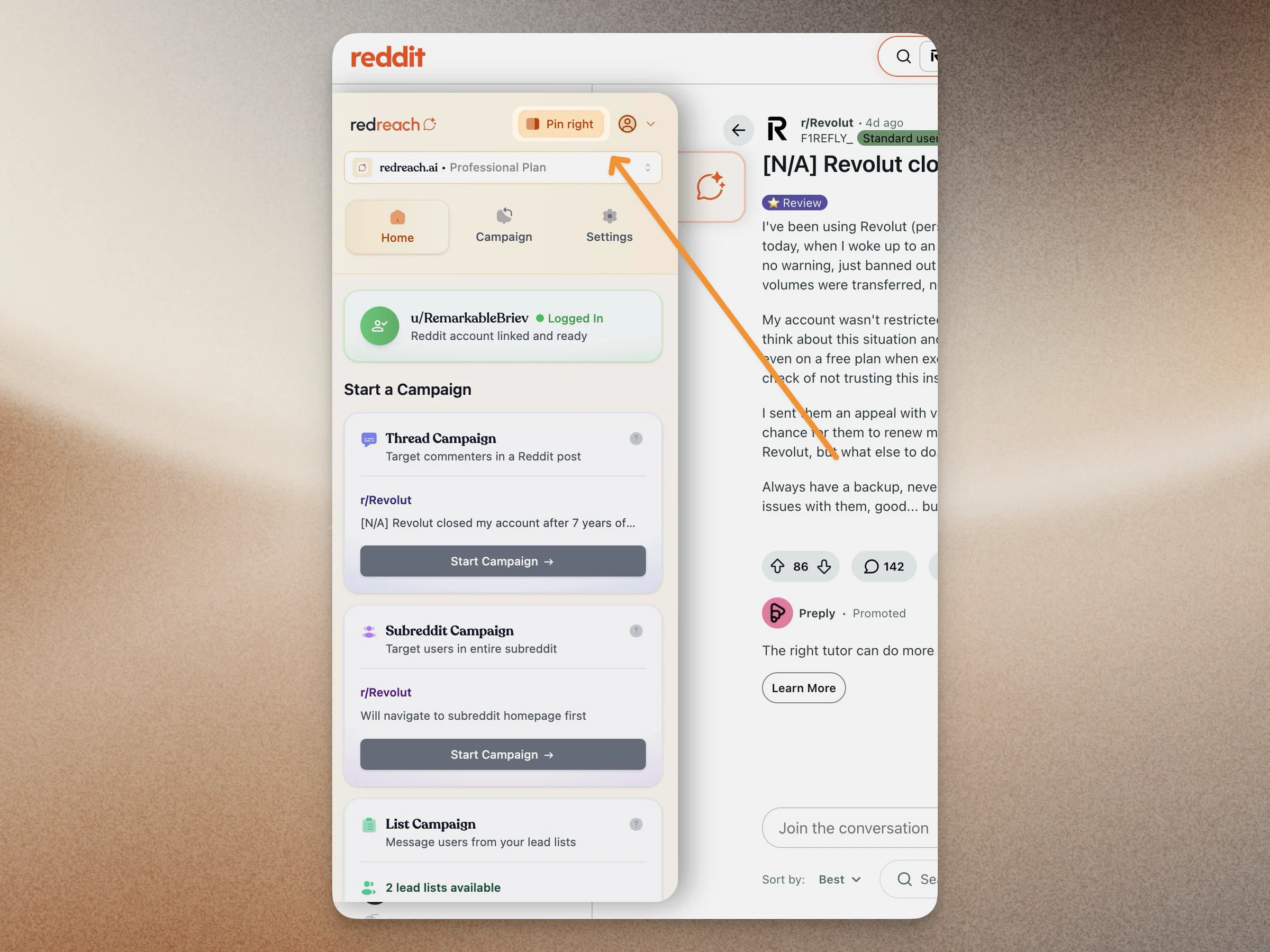
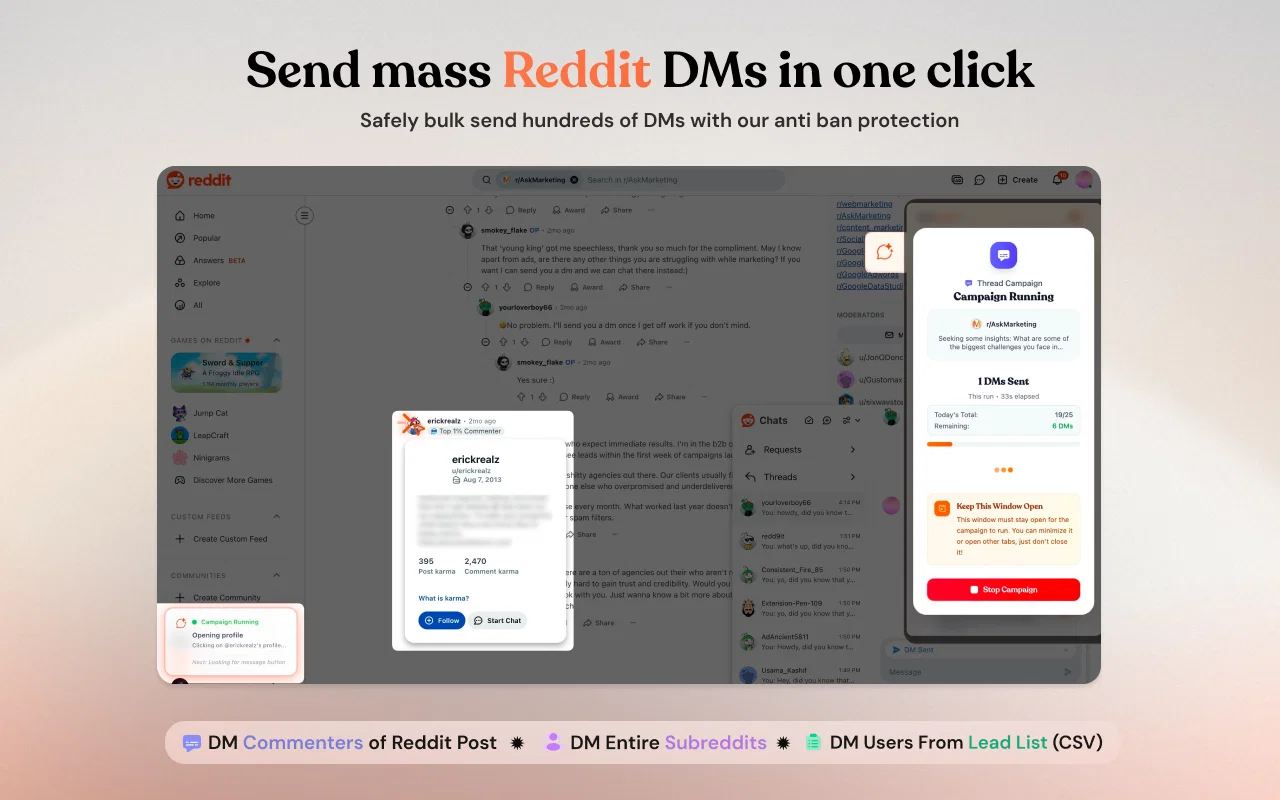
    The biggest update in Redreach history is finally here. Say hello to Redreach Outbound โ€“ our brand-new Chrome extension that automates sending bulk Reddit DM campaigns while keeping your account 100% safe. You can automate DMs for people who have commented on a specific Reddit post, a list of users or even the entire subreddit. Let's dive in. Before we do though, check our launch video here.

    redreach_chrome_extension_screenshot_1

    We've officially split Redreach into two powerful engines: Redreach Inbound (find hyper-relevant posts and mentions) and Redreach Outbound (automate personalized DM campaigns). Together, they create the complete Reddit marketing solution. Let's dive into what makes Outbound so special.

    ๐ŸŽฏ Meet Redreach Outbound: The Redreach Browser Extension

    We didn't take shortcuts. We built an entire Chrome extension from the ground up to help you scale Reddit outreach the right way โ€“ discreet, natural, and ban-proof.

    โ€ข Zero Reddit Login Access Required (๐Ÿ”): Unlike other tools that demand your Reddit credentials (and put your account at serious risk), Redreach Outbound runs locally in your browser. The extension simply emulates your natural behavior โ€“ no passwords, no risky API access, no immediate bans. Your account stays yours.

    โ€ข Natural Behavior Emulation (๐Ÿค–โžก๏ธ๐Ÿ‘ค): When running a campaign, we don't blast messages like a spam bot. Instead, the extension mimics real human behavior: moving your cursor, clicking on user profiles one by one, opening DM windows naturally, and typing messages with realistic delays. Reddit's spam detection systems see a human, not a bot.

    โ€ข Three Powerful Campaign Types (3๏ธโƒฃ): Target exactly who you want to reach:

    • ๐Ÿ“ Thread Campaigns: Message everyone who commented on a specific Reddit post
    • ๐Ÿ‘ฅ Subreddit Campaigns: Reach all active users in an entire subreddit
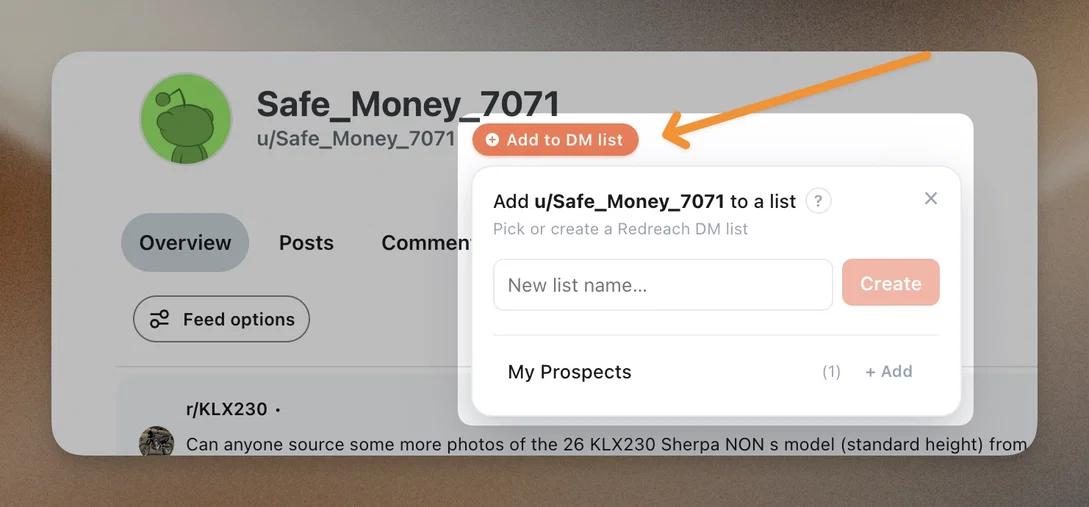
    • ๐Ÿ“‹ List Campaigns: Upload a custom CSV with specific usernames for precise targeting

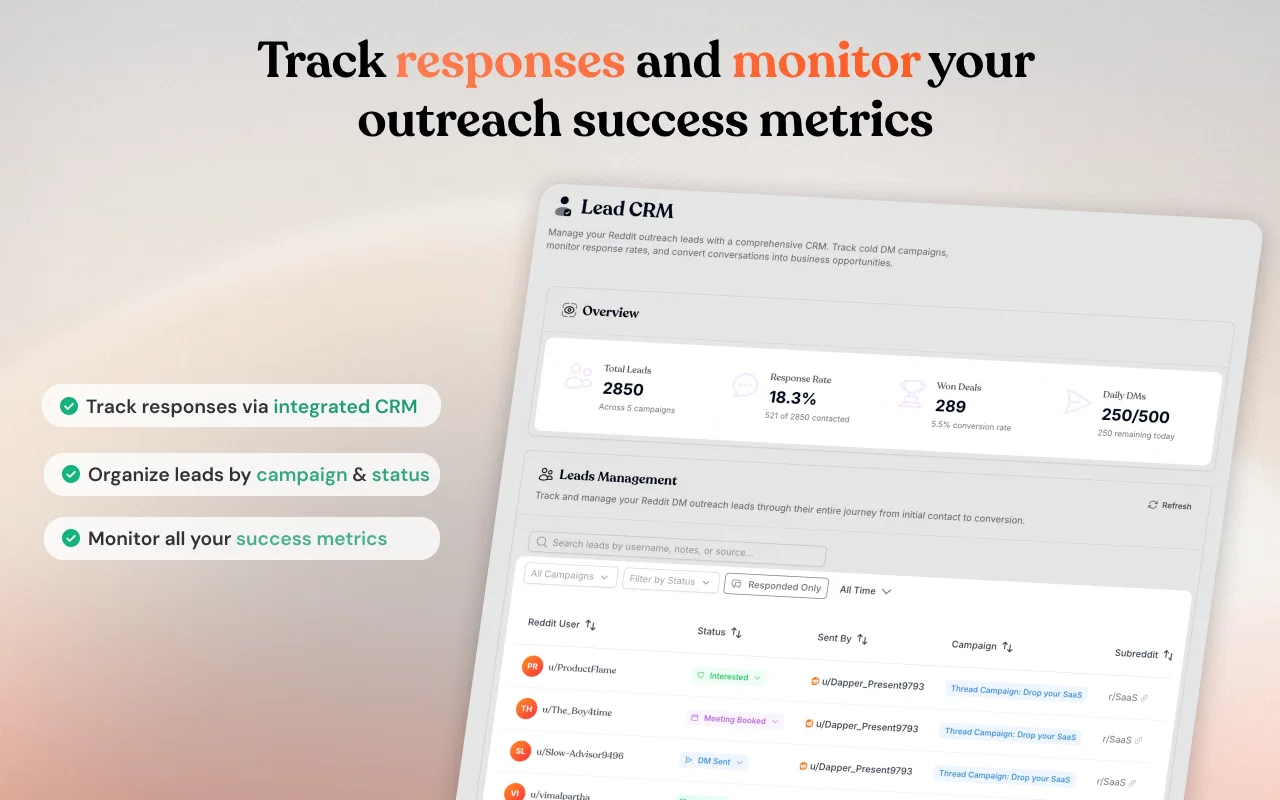
    โ€ข Built-in CRM (๐Ÿ“Š): Track every conversation, organize leads by campaign, monitor response rates, and never message the same user twice. All your Reddit DM outreach data in one place.

    redreach_chrome_extension_screenshot_3

    ๐Ÿ›ก๏ธ Advanced Anti-Ban Protection

    We know Reddit can be trigger-happy with bans, so we built sophisticated safety mechanisms into every campaign:

    โ€ข Smart Delays: Randomized 1-60 second delays between messages mimic natural human typing patterns โ€“ no robotic rapid-fire sending.

    โ€ข Account Age-Based Limits: Automatic daily message caps based on your Reddit account age and karma. New accounts get conservative limits; established accounts can scale higher.

    โ€ข Duplicate Prevention: The system automatically tracks who you've messaged across all campaigns. You'll never accidentally spam the same user twice.

    โ€ข Activity Filtering: Auto-skip deleted accounts, shadowbanned users, and inactive profiles before wasting your daily message limit.

    โœจ Personalization That Converts

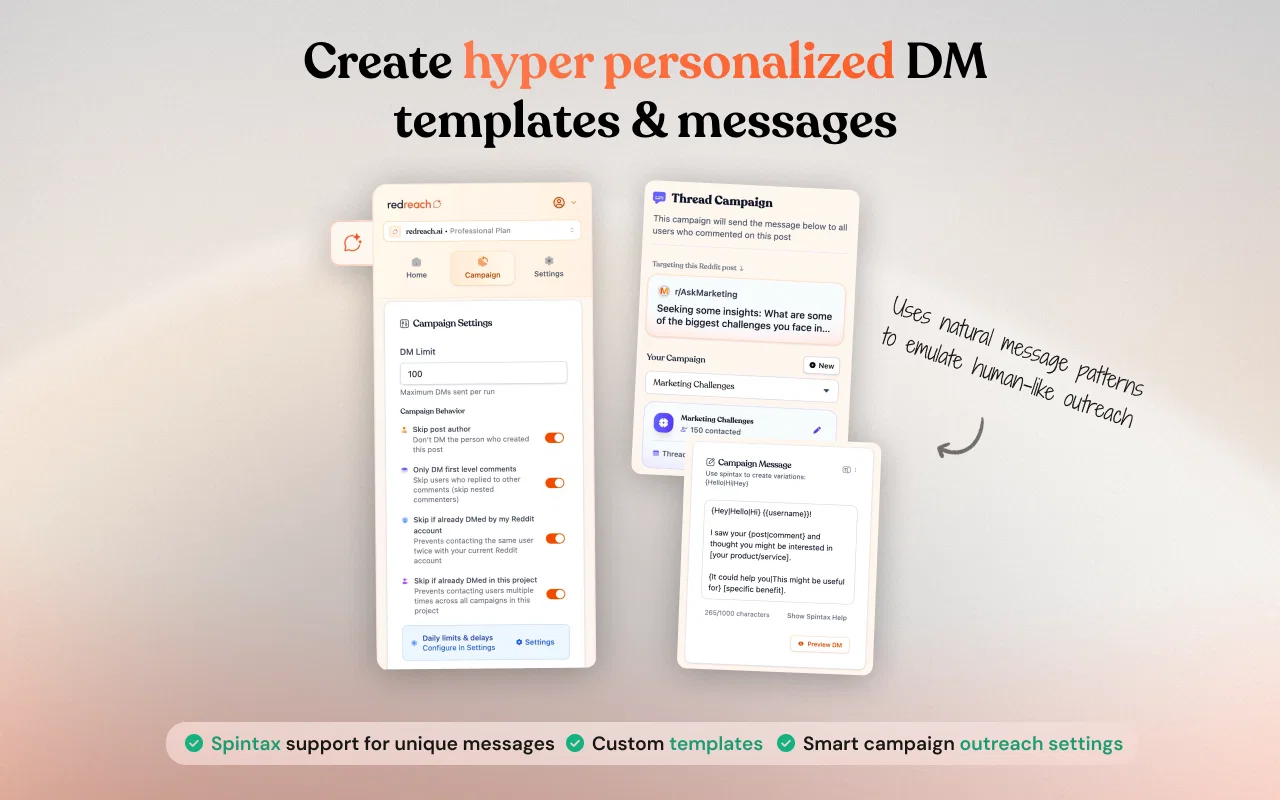
    โ€ข Spintax Support (๐ŸŽฒ): Create message variations that generate unique text for every recipient. No copy-paste spam โ€“ every DM looks personally crafted.

    โ€ข Custom Templates: Build multiple message templates and assign them to different campaigns based on your targeting strategy.

    redreach_chrome_extension_screenshot_2

    โšก Redreach Inbound + Outbound = Complete Reddit Marketing Suite

    With this release, we're officially branding our product lineup:

    โ€ข Redreach Inbound: Find hyper-relevant posts, track competitors and brand mentions, get AI-guided reply suggestions, and identify daily lead opportunities (your existing Redreach platform).

    โ€ข Redreach Outbound: Automate personalized DM campaigns, manage conversations in the CRM, and scale cold outreach safely (new Chrome extension).

    Together, they cover the full Reddit marketing funnel: discover opportunities โ†’ engage publicly โ†’ follow up privately โ†’ convert to customers.

    ๐ŸŽ“ Everything You Need to Get Started

    โ€ข Download our Chrome Extension from the Chrome Webstore ๐Ÿ“ฒ

    โ€ข Check our landing page for more information ๐Ÿ‘€

    โ€ข Complete Documentation (๐Ÿ“š): We've created a full help center with tips, tricks, and best practices at help.redreach.ai/using-redreach-outbound

    โ€ข Video Tutorial (๐ŸŽฅ): Watch our step-by-step YouTube tutorial to launch your first campaign in under 5 minutes: youtube.com/watch?v=HMfZ120NfNA

    โ€ข All Plans Include Outbound (๐Ÿ’ฐ): Every Redreach subscription tier now includes DM automation credits:

    • Startup: 30 daily auto DMs
    • Growth: 100 daily auto DMs
    • Professional: 500 daily auto DMs

    11

  6. Select Multiple Posts in Bulk and Reject Them

    Improvement

    We shipped small but powerful quality of life feature to help you improve managing your post feed. Redreach finds highly relevant threads but there might be a few in there that don't meet your criteria so now there's a super fast way to get rid of them ๐Ÿ‘Š

    Simply click on the new multi-select icon next to the "Sort By" field, select your posts and then reject them all at ones.

    Screenshot 2025-11-05 at 17.05.50
  7. Introducing the Free Reddit Marketing Playbook

    Announcement

    We're thrilled to announce the launch of our brand-new, interactive guide designed to help you master the art of marketing on Reddit. ๐Ÿš€

    redreach-meta-free-reddit-marketing-guide-social

    Reddit is a goldmine of marketing opportunities with over 430 million users actively seeking solutions to their problems. However, the platform's strict spam detection makes it a challenge for businesses to engage effectively. That's where our guide comes in!

    This guide is the culmination of weeks of research crawling through 100s of successful Reddit posts and seeing what worked and what did not. It has already helped many Redreach customers enhance their Reddit marketing strategies. We hope it will do the same for you!

    Key Highlights:

    • Why Reddit is King of Search Results (โšก): Learn why Reddit often outranks Google and AI search results, and how you can leverage this to your advantage.โ€ฉ
    • Finding Your Ideal Customers (๐ŸŽฏ): Discover techniques to identify Reddit users who are actively looking for solutions like yours.โ€ฉ
    • Crafting Perfect Comments (๐Ÿ’ฌ): Master the art of commenting in a way that promotes your product without triggering spam filters.โ€ฉ
    • Creating Engaging Post Titles (โœ๏ธ): Get tips on engineering Reddit post titles that drive traffic without getting banned.โ€ฉ
    • Account Management Strategies (๐Ÿ›Ÿ): Learn how to warm up accounts and handle bans effectively.

    If you feel there's anything missing or have feedback, please let us know. We're committed to making this the best free Reddit guide available.

    Click here to get free access to the guide: https://redreach.ai/reddit-marketing-guide

    Happy Reddit marketing! ๐ŸŽ‰

  8. Enhanced Reddit Comment Suggestion Experience

    Improvement

    We're thrilled to announce a major update to the Reddit comment box experience on Redreach.

    Here's what's new:

    AI Reply Suggestion Enhancements

    • ๐ŸŽฏย Custom One-Off Prompts: Need a personalized touch for a specific Reddit post? You can now generate one-off prompts for unique, AI-assisted replies that go beyond your existing templates.
    • ๐Ÿ“‚ย Template Dropdown: The AI reply suggestion button now features a sleek dropdown menu, allowing you to choose from your AI comment templates effortlessly.
    • ๐Ÿ“œย Generation History: Since the reply suggestion button now generates one comment at a time, we've added a history button. This lets you browse through previously generated comments, so you can pick the version you like best.

    Improved Usability

    • โŒจ๏ธย Keyboard Shortcuts: Streamline your workflow with keyboard shortcuts. Use CMD+I for a custom single prompt or CMD+G to generate a comment using your predefined template.
    • ๐Ÿ“ย Prompt Template Examples: Find handy examples in the Project Settings / Prompts section. These examples guide you in crafting your own prompt templates, perfect for reusing specific personas or patterns in Reddit comments.

    Continuous Improvement

    We're listening to your feedback on AI comment suggestions and are committed to ongoing improvements. Expect more updates soon, and as always, if you have feedback, let us know!

    We're moving fast to make Redreach the best it can be! ๐Ÿš€

  9. New Pricing, Edit Competitors, Sentiment Insights & Customizable Update Intervals

    We've been hard at work behind the scenes and are thrilled to unveil some major updates to make your Reddit lead generation / growth marketing even more powerful. From flexible pricing plans to competitor management, sentiment analysis, and more - learn more about this update below. Let's dive right in.

    ๐Ÿš€ New Pricing Plans: Flexible Options for Every Business

    We listened to your feedback and are excited to introduce our new three-tier pricing system designed to accommodate businesses at every stage of their Reddit marketing journey. You can learn more on our pricing page here.

    Screenshot 2025-05-15 at 19.10.27 copy

    ๐Ÿ”„ Edit/Add Competitors

    We know you've been asking for this. As easy as it may sound it actually required us to rewrite a ton of our business logic to accommodate this change (hence why it took a bit too long ๐Ÿ‘‰๐Ÿ‘ˆ) but now it's finally ready.

    โ€ข Add or change competitors for brand tracking & fresh search opportunities

    โ€ข New opportunities and mentions reflect updates on the next scheduled run

    โ€ข Click Refresh in the Searchbox for instant adjusted results

    โ€ข Change competitors up to twice per month

    Screenshot 2025-05-15 at 19.12.29 copy

    ๐ŸŽญ Sentiment Analysis for Brand Mentions

    Understanding the tone of Reddit conversations about your brand is now easier than ever:

    โ€ข Each brand-mention page shows a sentiment badge (๐Ÿ‘ positive / ๐Ÿ†— neutral / ๐Ÿ‘Ž negative)

    โ€ข Aggregated comment sentiment reveals overall mood at a glance

    โ€ข Spot crises early & surface positive-engagement chances fast

    Screenshot 2025-05-15 at 19.11.26 copy

    โฑ๏ธ Customizable Fetch Intervals

    Take control of your notification cadence based on your specific needs:

    • Configure your delivery preferences in Settings > Notificationsโ€ฉ
    • Choose between weekly or daily delivery of new opportunities and mentionsโ€ฉ
    • โ€“ Weekly: delivery provides a comprehensive overview of Reddit activityโ€ฉ
    • โ€“ Daily: delivery ensures you're the first to engage in relevant conversationsโ€ฉ
    • Delivery options vary based on your subscription plan

    Screenshot 2025-05-15 at 19.13.14 copy

    ๐Ÿ•’ New Refresh Indicator

    We've added a helpful new feature to keep you informed about your data updates. The sidebar now displays precise timing information showing exactly when your New Opportunities and Brand Mentions will refresh.

    • See countdown timers for both data types (e.g., "Next update Tomorrow at 06:00" for Opportunities)
    • Different refresh schedules for different data types, optimized for your plan level

    This small but mighty addition helps you stay on top of your lead generation schedule and ensures you never miss an opportunity to engage with potential customers.

    Screenshot 2025-05-15 at 19.14.26 copy

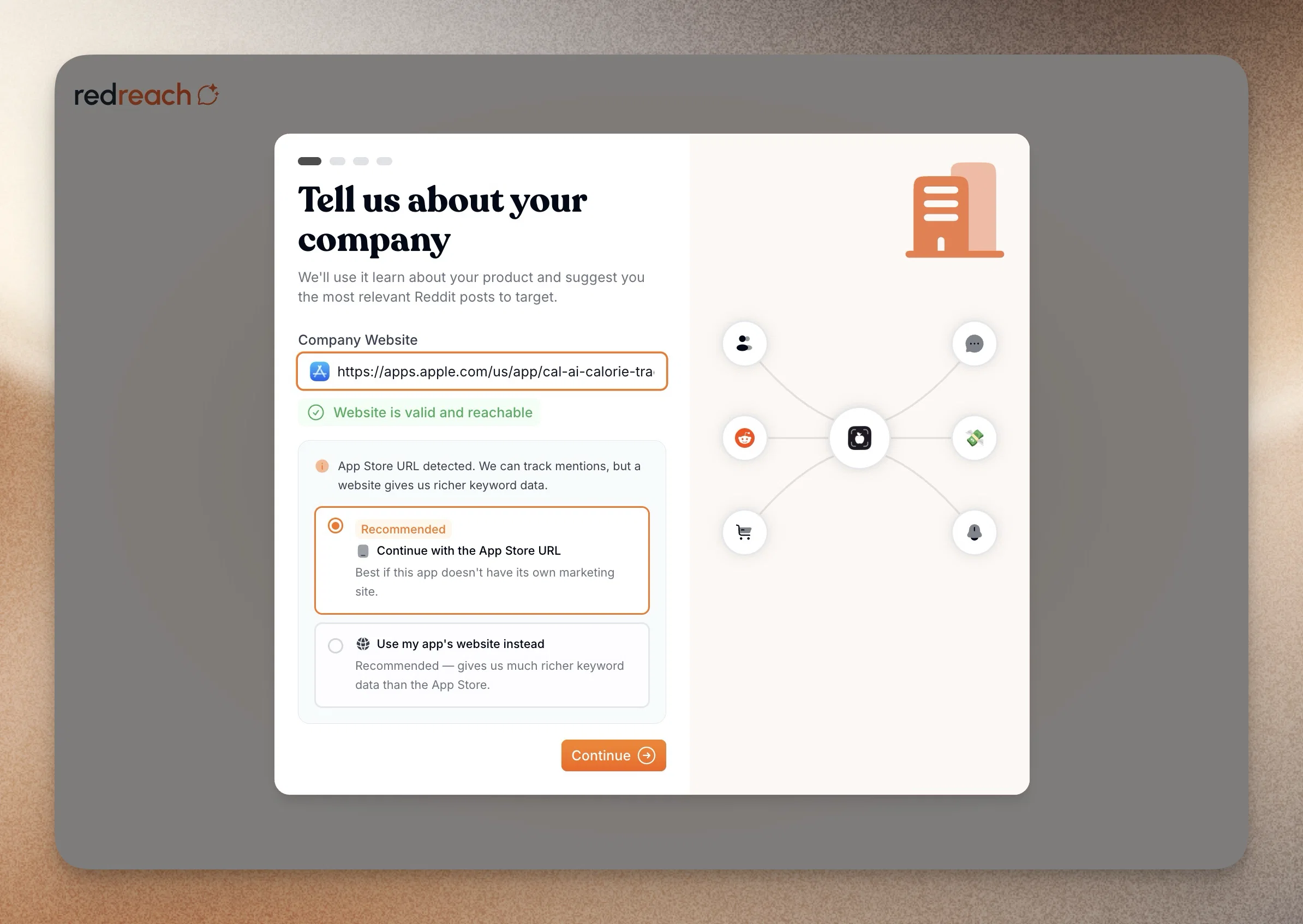
    ๐Ÿšช Streamlined Onboarding Experience

    Our new onboarding flow gets you productive faster:

    โ€ข Smoother, clearer setup for new users

    โ€ข Better guidance for first project, competitor & keyword selection

    โ€ข Existing users can spin up a second project to try it out ๐Ÿ˜‰

    ๐Ÿ”ฎ Looking Ahead

    Weโ€™ve rebuilt our core architecture โ€“ expect faster feature drops from here.

    Tell us what youโ€™d love next โ€” weโ€™re listening! โœจ

    6

  10. New Insights Section, Tweak your Company Description & Faster Navigation

    New Feature ๐Ÿš€

    Weโ€™ve just rolled out some exciting updates to Redreach that make tracking your Reddit marketing efforts easier and more insightful than ever. From new analytics tools to handy UI improvements, there's plenty to explore. Dive in to see how these enhancements can help you engage more effectively and stay ahead of the game!

    New Insight Section: Get the Scoop on Your Reddit Data ๐Ÿ“Š

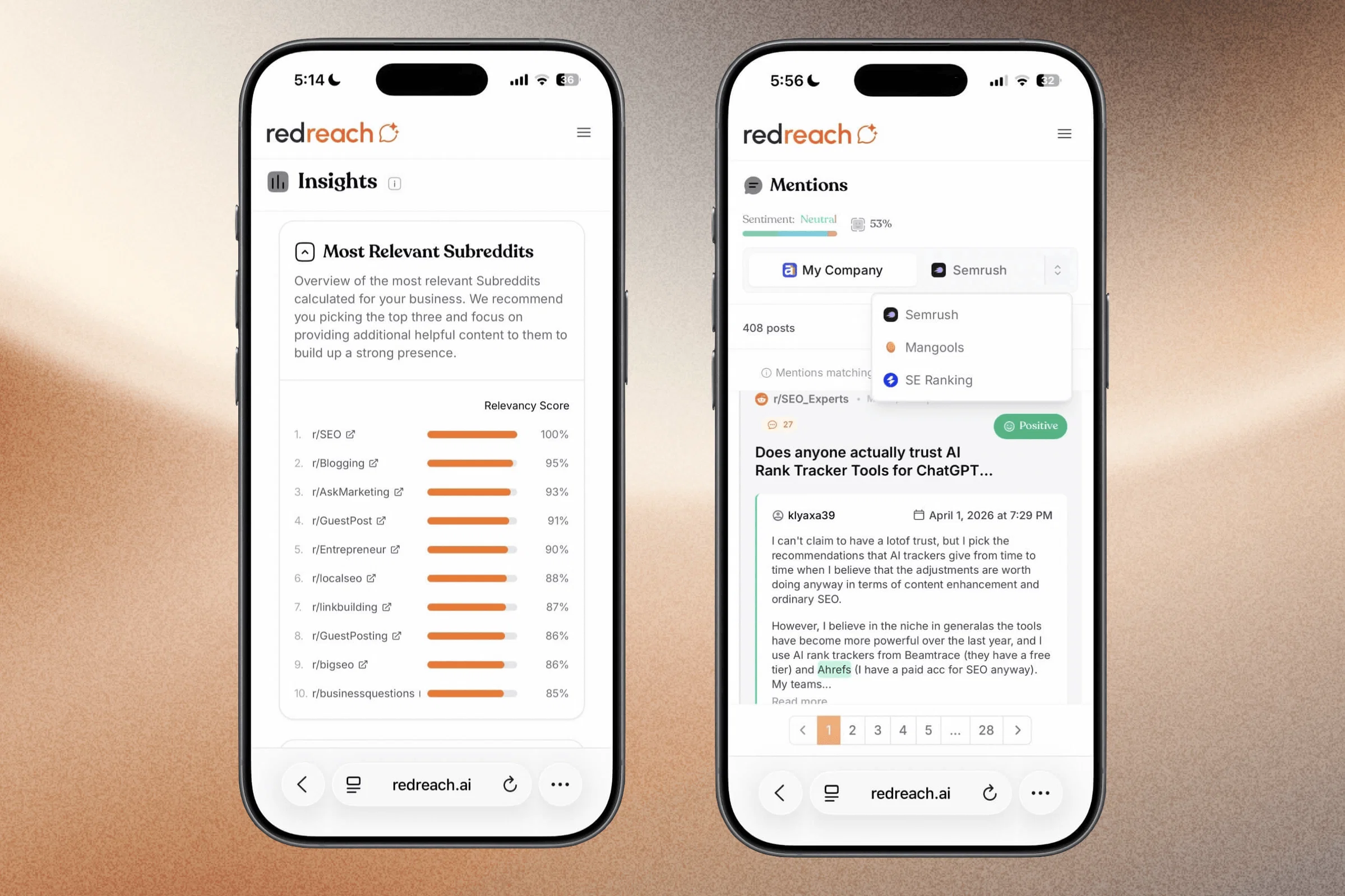
    We've added a new Insight section to help you keep tabs on your Reddit marketing efforts. So far it displays the following data:

    • Reddit Insight: Dive into detailed analytics to see how your Reddit marketing is doing. These insights help you make smarter decisions to boost engagement.
    • Subreddit Analytics: Find out which subreddits are a goldmine for your business. We show you which subreddits are the most relevant based on your Redreach data. Check out relevancy scores, track community engagement, and keep an eye on growth trends.
    • Engagement Tracking: Stay on top of your engagement metrics. Monitor how your replies are performing, track engagement over time, and measure impressions. Expect even more features soon!

    The Insight feature is now in Beta and we'd love to hear what data would be useful for you to see there. Let us know!

    feature_insights

    Editable Company Description: Customize Your Experience ๐Ÿ› ๏ธ

    You can now tweak your company description in project settings. This helps our AI get a better handle on your business when filtering and analyzing Reddit content. Add details about your products, services, and target audience. Adjust your profile to focus on posts that align with your business goals. For example, specify that your product is for developers and you prefer posts about software development over general computer recommendations.

    feature_company_description

    Ignored Subreddits: Fine-Tune Your Feed ๐Ÿšซ

    You can now add subreddits to an exclusion list, allowing you to filter out unwanted content from your upcoming new opportunities post feed. This feature helps you focus on the conversations that matter most to your business.

    feature_ignored_subreddits

    Command Bar: Quick Navigation ๐Ÿงญ

    Pro users can now use our new command bar, accessed with Cmd + K. This makes it easy to zip between pages using your keyboard, streamlining your workflow. You can also open the command bar via the button in the bottom left dashboard sidebar.

    feature_commandbar

    Enhanced Email Notifications: Fast Track to Top Posts ๐Ÿ“ง

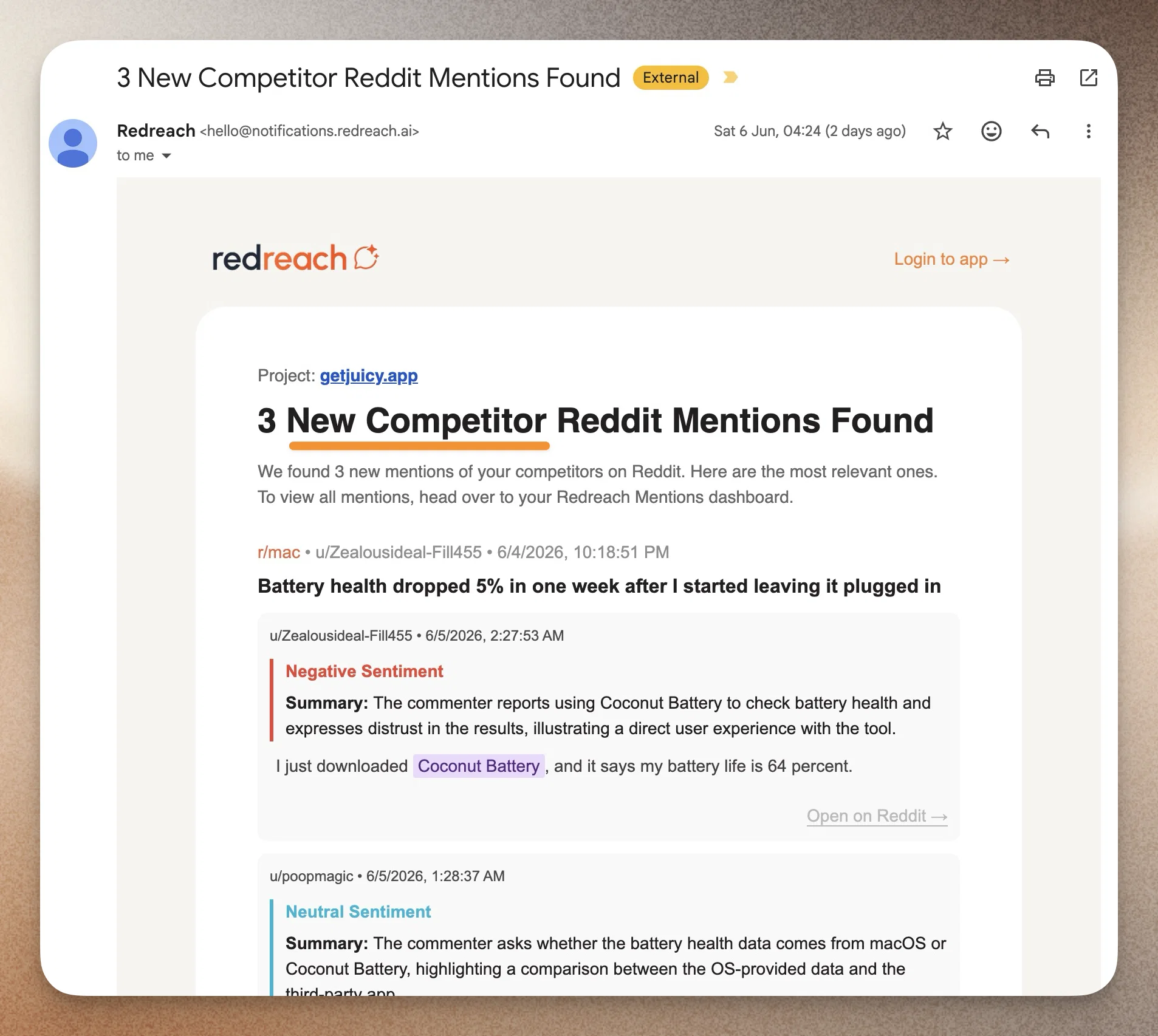
    Our email notifications now include direct links to Reddit, making it quicker to check out top posts. While it's a good idea to mark posts as replied or rejected in Redreach for better tracking, this feature is handy for a quick look.

    UI Tweaks: A Smoother Ride ๐ŸŒŸ

    • Pagination: Enjoy faster load times and a clearer overview with our new pagination feature.
    • Refresh Indicator: We've added an indicator in the bottom left sidebar showing when new mentions and opportunities will be refreshed, so you can stay on top of the latest updates.
    • Competitor Selector: We've revamped the competitor selector on the mentions page, making it more intuitive and visually appealing.
    • Company Logo Display: Company logo now appear in mentions posts for a quick visual cue.
    • Archived Posts Data: Archived posts now have more of their original data attached again
    • Quick "Marked as Replied" Notification: After opening a Reddit post in a new window, you'll see a quick notification in the bottom right corner, confirming it's marked as replied.
    redreach_new_features_ui copy

    We hope these updates make your experience with Redreach even better. Your feedback is always welcome, and we're excited to keep improving for you!